 

1500 Word MTU has a POSSE: Week 2 Update

3 min read

I'm still pretty happy my indieweb publishing experiment.

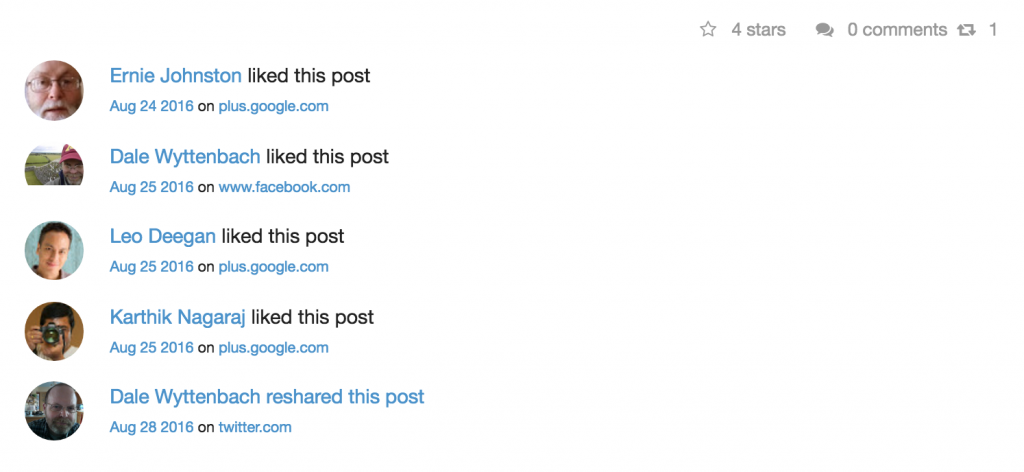
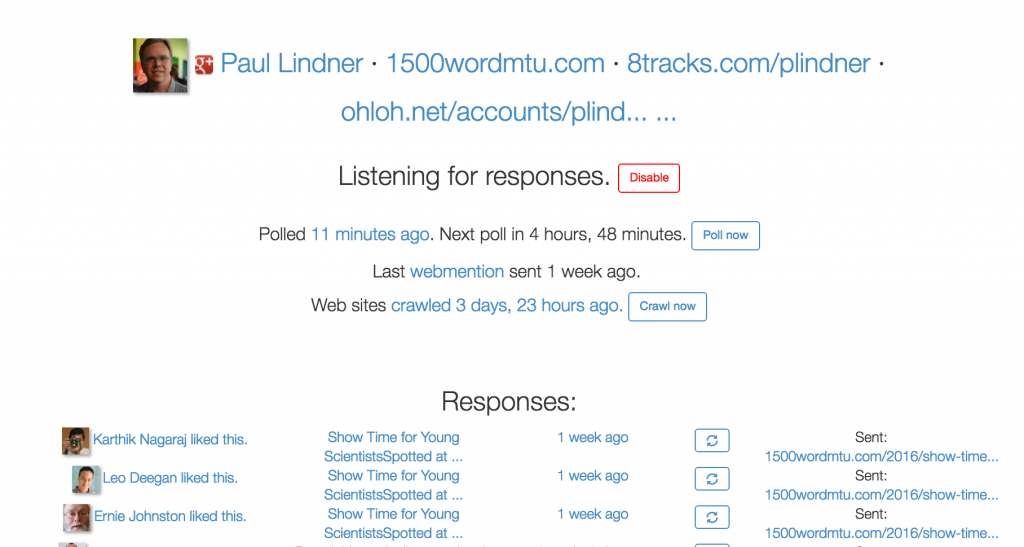
Content is flowing in all the right ways.  Posts end up as Posts.  Photos are uploaded native with backlinks. POSSE via brid.gy just works.  You can see that Brid.gy polls Google+, and then saves what it finds back to the original post by sending Webmentions.  The result is a full archive of activity around this content.
Oh and cross posting to SoundCloud worked perfectly.  And so do embeds..


After a fix from the Known Team WebHooks are working.  I get a POST whenever content changes.  To test this out I send the URL to the Internet Archive Save Page.  Voila!  Instant archiving of my content.  [Next up, backups in IPFS]

I was able to set up the Known open source software on my own server.  Next step is to pull a backup from the hosted version I'm using so I can experiment further and contribute back to the project.

Mobile Posting via Chrome on Android is working well.  You can access the Camera and a rudimentary file picker.  HTML editing is workable, but not great.  I installed the Url Forward app so I can also have native sharing intents.


Bumps

Of course there are some issues encountered...

Spelling errors mean you Publish Once, Edit Everywhere.  Or if you messed up the URL, Publish Once, Delete Everywhere

I tried using a native web mention to reply to another post, but it didn’t appear on the target site.  There wasn't any visible UX feedback.

I found that there’s no UI support for backdating posts.  Okay, I’ll try Micropub to post.  Nope, very rough implementations, but Quill seems nice.  Eventually I wrote a stub post in Wordpress, exported, imported and edited.  Phew!

But.. it appears that brid.gy doesn’t syndicate to old posts like this.  Even when I went back and pointed links at each other.  I’ll have to followup on that.

Also, I lost the first version of this post due to a CSRF error since I left it sitting too long in the browser.  Oops.

TinyMCE still is a pain and loves using &nbsp; and CMD-9 is bound to <address>..   I might have to use Markdown instead.

I miss @ mentioning people, and wish there was a UI for that.

Native Google+ support in brid.gy needs an API.


But still overall quite happy with the way this is going.  I hope you're enjoying the journey with me.

Tagged:


It's so fast and smooth you might think you're using a native App.

1 min read

It's so fast and smooth you might think you're using a native App.

Originally shared by Danielle Buckley

Today we’re excited to announce the new and improved Google+ experience for mobile web. We focused on making everything faster, more beautiful, and more intuitive. To check out all the new updates, visit plus.google.com on your phone or tablet’s browser.  

As always, we’d love to hear what you think!  


Your investment in authorship continues to pay dividends.

1 min read

Your investment in authorship continues to pay dividends. Thanks everyone for implementing -- it makes products like this possible.

Originally shared by AJ Kohn

Content Recommendations for Your Mobile Website

When you help someone find a great article on your site, you’re not only making them happier, you’re inspiring deeper engagement and loyalty. That's why today, we're bringing together elements of Google+ and Google Search to suggest the right content from your mobile website, at just the right time.

For example: Forbes visitors can now more easily discover other Forbes articles based on Search Authorship, signals and other articles with lots of Google+ activity (including +1's and shares). In all cases, recommended content is based on the specific page the visitor is viewing, to boost the relevance of recommendations. And they only appear when people tap for more, so as not to interrupt their browsing experience.

Very interesting on a lot of fronts!


So my Nexus4 order was backordered.

1 min read

So my Nexus4 order was backordered.  So here's the next best thing.  I was able to get the following since I've been with T-Mobile for over 10 years:

- $199 with $50 mail in rebate.

- Waived the overnight shipping fee of $24.99 (as a credit to my bill)

- You do need a data plan of >$35/month on the line and a 2 year contract extension, however the standard plan comes with 400 text messages so I was able to consolidate a text message bundle with the data bundle and end up at $0 change.

- Retain the rest of my FamilyTime,@Home service and the G1 data plan on the other line.

And it will arrive tomorrow...


First big test of my UPS configuration, which is doing better than T-Mobile.

1 min read

First big test of my UPS configuration, which is doing better than T-Mobile. They went offline in 15 minutes. 11k affected and 2h restoration time so I should see auto-shutdown working too.


Questions?  Stop by the Google+ developer sandbox or the Google+ history sessions.

2 min read

Questions?  Stop by the Google+ developer sandbox or the Google+ history sessions.

Originally shared by Ken Norton

One of my favorite Google+ features is Instant Upload. All the pictures I take with my phone appear in a private album online, and from there I can share with my circles (or not). For me it's a great way to remember my favorite moments, and strike up the right conversations with just the right people.

More generally, we think this difference between saving and sharing is really important for communicating online. After all: not every thought that crosses your mind comes out of your mouth :-) Features like Instant Upload give you control over how you save and share your photos. And today -- with an early developer preview of Google+ history -- we're starting to bring this save/share capability to other online activities.

If you’re a developer, you can get started with today’s preview release by visiting http://developers.google.com/+/history/preview/. With just a few lines of code your app can privately save moments (like a listened song, or a visited restaurant) to a user's Google+ history, and from there users can share those moments with others. Think Instant Upload, but for almost anything! In all cases, moments in history include attribution of your app.

To help get the juices flowing, you as a developer will notice your YouTube, +1, Play app purchases, and Instant Upload activity in Google+ history (with Search and Latitude coming soon) -- all for your eyes only, of course.

We're hosting two Google I/O sessions (Thu, June 28 at 11:45am PT and 5:15pm PT) and a codelab (Fri, June 29 at 9am PT), so you can either stop by in person, or tune in with I/O Live. Android and iOS developers can also use the new Google+ platform for mobile -- attend our session (Thu, June 28 at 1:30pm PT) to learn more.

http://developers.google.com/+/history/preview/