
I don't know much about co-ops and education. But this is an interesting development:
https://techcrunch.com/2018/05/24/google-opens-its-g-suite-for-education-to-home-school-co-ops/
I don't know much about co-ops and ...
1 min read
Trap my contacts? If only... ...
1 min read
Trap my contacts? If only... (2010)
https://techcrunch.com/2010/11/10/google-gets-feisty-kicks-data-portability-fight-with-facebook-up-a...
I wrote up a guide on moving your Google+ Web +1s to Pinboard.
1 min read
I wrote up a guide on moving your Google+ Web +1s to Pinboard.
Moving your Google +1s to Pinboard
2 min read
So the +1 button on the web is riding off into the sunset. But you can still make good use of the data that you've collected over the years via Google Takeout! I like to keep my bookmarks in Pinboard, so here's how I did it and you can too.
Export
1. Visit https://takeout.google.com/settings/takeout in your browser. You'll see something like this:
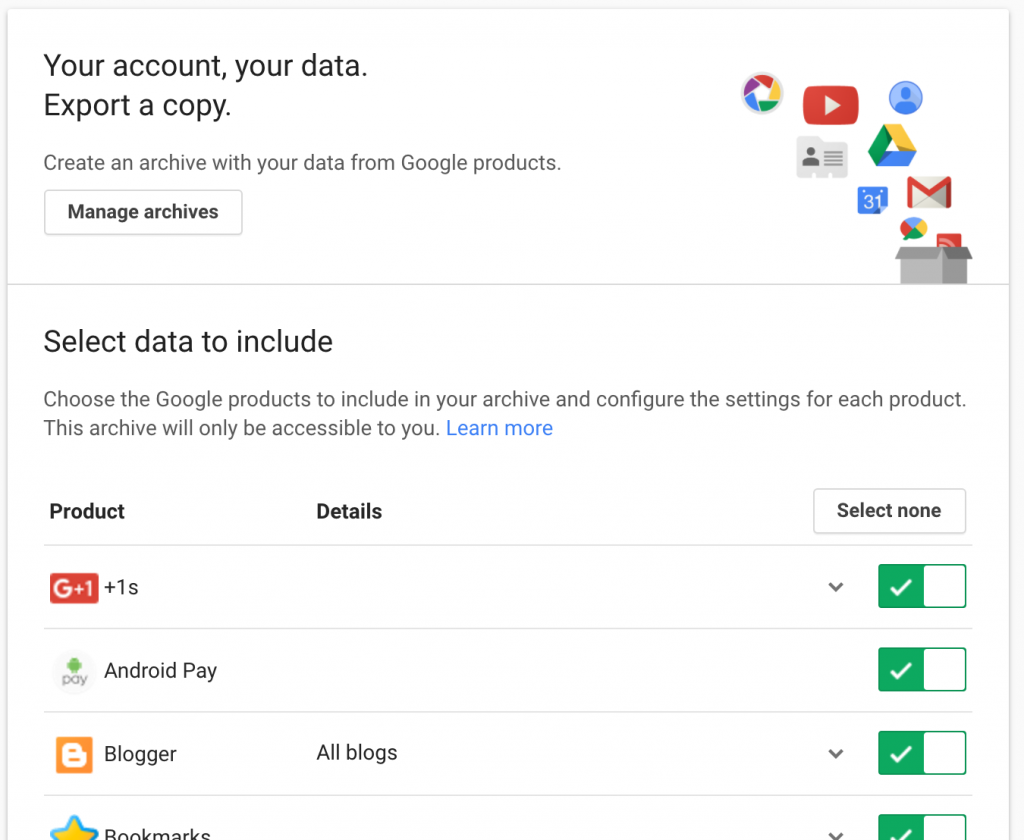
2. Click Select None, then click on the checkmark next to +1s.
3. Scroll to the bottom and click Next
4. The next screen has some choices for file format. Change if you want, but the defaults should be fine and will email you a link to a zip file you can download.
5. You'll receive an email with a link to the zip file. Expand the file and you'll find something like this:

Import to Pinboard
Now that you have the +1s.html file you can import it to Pinboard. (Or other sites that support the Netscape Bookmark file format)
1. Pinboard 'tags' imports with the name of the file. I wanted to use the tag 'plusone' so I renamed my file from +1s.html to plusones.html
2. Next visit the Pinboard settings page, then click import (or just click on this link) You'll see something like this:
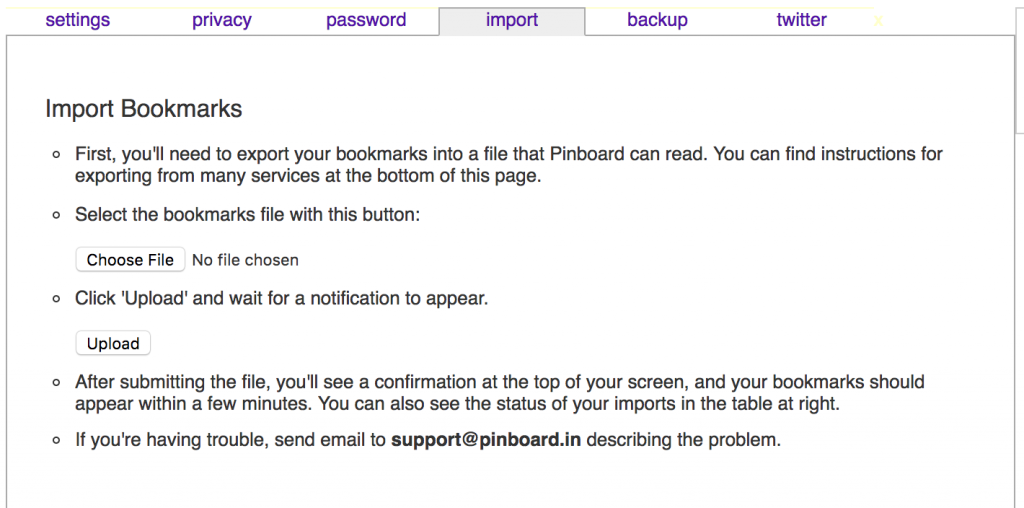
3. Click on the Choose File button, select your html file (in my case plusones.html) and click upload.
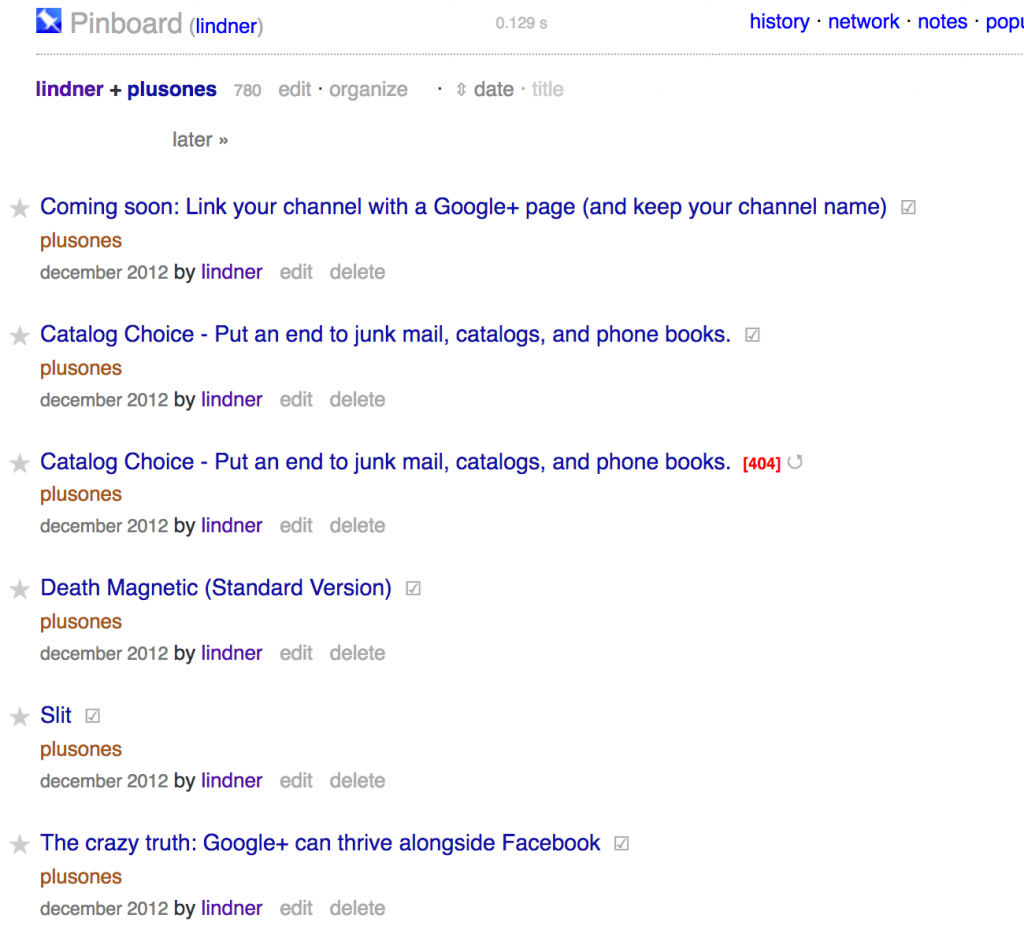
4. After a little bit of time Pinboard will have your imported bookmarks! You can then view all of them based on the tag (plusones). Click on the tag and you can browse/clean them up. Woohoo!
Other Places
Once you have the exported bookmark html file you can also import to other products.
Contact me if you have more. I'll add them here!
Changes coming to the +1 widget you see on web sites.
2 min read
Changes coming to the +1 widget you see on web sites.
Originally shared by John Nack
Making the G+1 button load more quickly
The G+1 button is shown billions of times per day on web pages around the world, so it’s important that it load as quickly and efficiently as possible. To make it easier for people to load and share the pages they’re interested in, we’ve created a simpler G+1 button sharing experience.
Beginning in a few weeks, clicking the +1 button will open a streamlined new Google+ sharing dialog, and the G+1 button will no longer display a +1 count. If you’re a publisher, you can rest assured that these +1s do not affect search ranking and the size and layout of the button will remain the same.
These changes will only affect the G+1 button outside of Google+. The +1 button within Google+ will continue to work the same way it always has.
If you’d like to view all of the pages you’ve +1’d over the years, you can download a list using Google Takeout.
We hope this change makes it that much easier to check out and recommend all the interesting things you discover!
Remember to test your backups and be careful with rm -rf
1 min read
Remember to test your backups and be careful with rm -rf
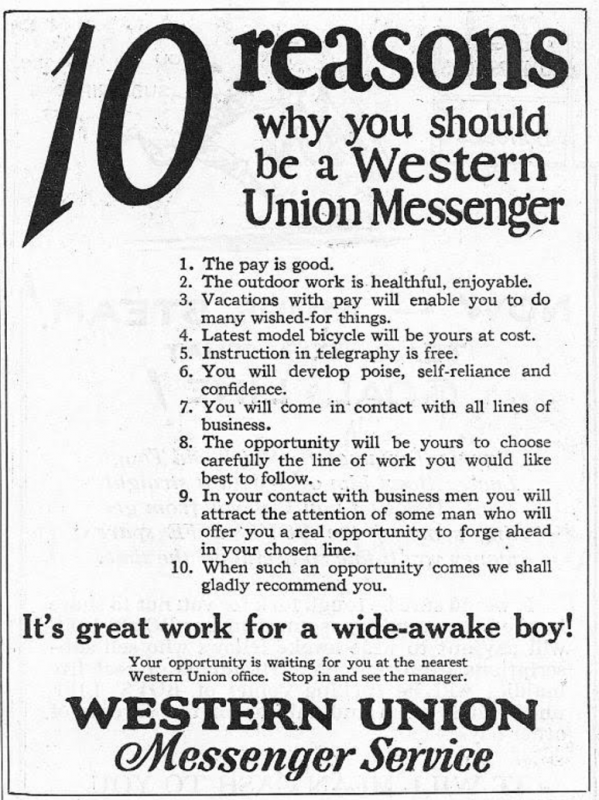
It's @uber circa 1926 #newgildedage
1 min read
 #newgildedage" />
From Boys Life November 1926
https://books.google.com/books?id=uGJQePNkYJMC&lpg=PA12&pg=PA79#v=onepage&q&f=false
Code Next Opens in Oakland, creating diversity through Constructionism
1 min read
Code Next Opens in Oakland, creating diversity through Constructionism
"From a design point of view it is a truly unique experience that very much leans on an educational theory known as constructionism. This codified curriculum will soon be available to the entire world as an open source."