
 

1500 Word MTU Experiment: Day #1

2 min read

1500 Word MTU Experiment: Day #1

[lynx-ified version below]

End of day #1 with Known. I'm quite pleased with the results.

Good Stuff

* brid.gy is awesome. Having +1's, likes and comments consolidated is so nice.

* Webhooks! I'm thinking of writing one to automatically archive pages to archive.org.

* PuSH appears to be fully working. Again, could extend things there..

* Google+ renders images well.

* The editor saves drafts.

* Lightweight page editor should be useful.

* AMP support is there (add ?_t=amp to any page) Some validation issues, but works.

* Real anchor tags and hyperlinks. No more writing [1] [2] in posts with multiple links (like lynx)

Rough Edges

* The built-in Photo type doesn't send the permalink to Twitter, so now I have a weird post without context. Flickr, Facebook working perfectly, might try another setting.

* I need to get to writing a Google+ outbound connector. I'm doing those by hand now.

* TInyMCE sucks. It has always sucked! If only Medium would open source their editor. At least markdown is an option.

* Looks like syndicated Google+ links are using profiles.google.com instead of plus.google.com.

* Some profile pics cloned from G+ are coming back with size 0. This shows as broken images.

* Long status posts have extra long permalink URLs.

* Built-in analytics are weak. Would rather avoid using GA for that.

* Limited import options. Will need to convert Typepad export file to Wordpress format.

* Bulleted lists line-height is tight, tight, tight.

Overall I'm pretty happy and excited about getting more content in place.

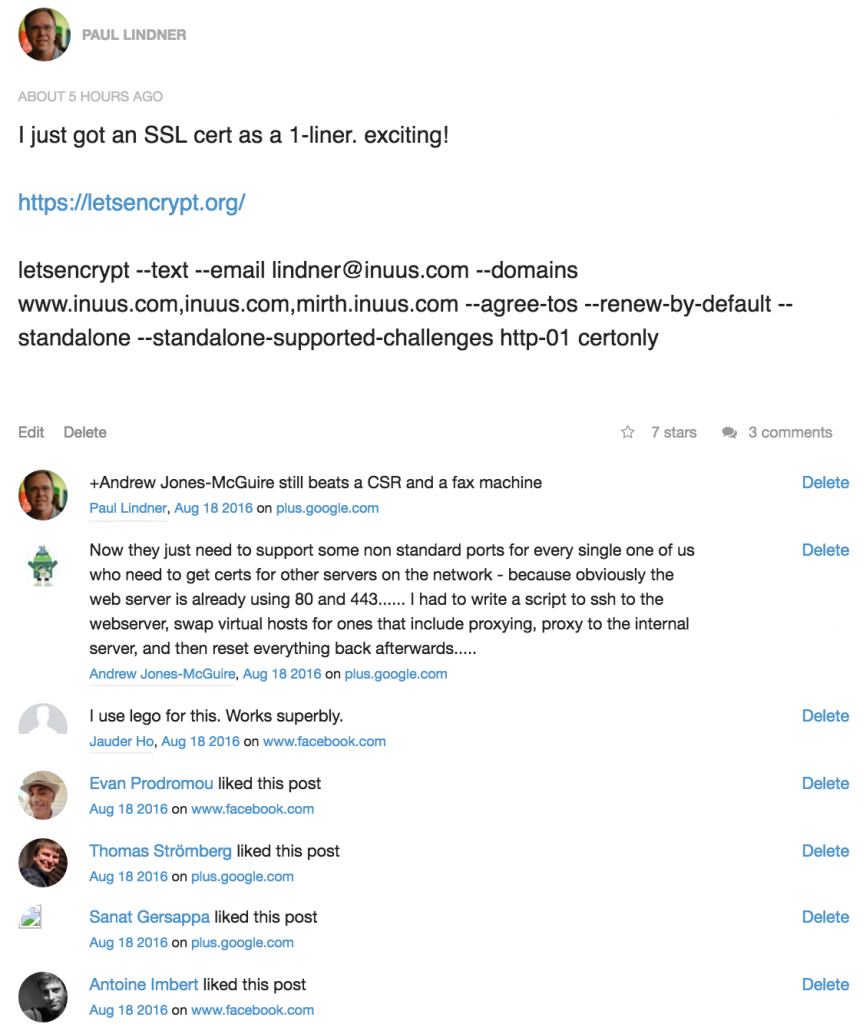
And who knew that a post on SSL/TLS certs would be soooo exciting?
 

1500 Word MTU Experiment: Day #1

2 min read

End of day #1 with Known.  I'm quite pleased with the results.

Good Stuff

  • brid.gy is awesome.  Having +1's, likes and comments consolidated is so nice.
  • Webhooks!  I'm thinking of writing one to automatically archive pages to archive.org.
  • PuSH appears to be fully working.  Again, could extend things there..
  • Google+ renders images well.
  • The editor saves drafts.
  • Lightweight page editor should be useful.
  • AMP support is there (add ?_t=amp to any page)  Some validation issues, but works.
  • Real anchor tags and hyperlinks.  No more writing [1] [2] in posts with multiple links (like lynx)

Rough Edges

  • The built-in Photo type doesn't send the permalink to Twitter, so now I have a weird post without context.  Flickr, Facebook working perfectly, might try another setting.
  • I need to get to writing a Google+ outbound connector.  I'm doing those by hand now.
  • TInyMCE sucks.  It has always sucked!  If only Medium would open source their editor.  At least markdown is an option.
  • Looks like syndicated Google+ links are using profiles.google.com instead of plus.google.com.
  • Some profile pics cloned from G+ are coming back with size 0.  This shows as broken images.
  • Long status posts have extra long permalink URLs.
  • Built-in analytics are weak.  Would rather avoid using GA for that.
  • Limited import options.  Will need to convert Typepad export file to Wordpress format.
  • Bulleted lists line-height is tight, tight, tight.

Overall I'm pretty happy and excited about getting more content in place.

And who knew that a post on SSL/TLS certs would be soooo exciting?


Screenshot of a Known Post


Tagged:

#1


Welcome to 1500 Word MTU

2 min read

This is an experiment.  Can I take control of my online life and move it to a place where I have more control?  Can I pull my content out of multiple silos?  And can I import existing content from other platforms and keep it (somewhat) synced over time so I have a full record of my public online life?

We're going to find out..

The trigger for me was an article about my early days working with the Internet Gopher Community.  I had saved most of the email from back then and it was quite easy to reconstruct and remember what happened.  I don't think I'll have the luxury for much of what's happening recently.  The digital ephemera is spread out too far and wide to reconstruct and reflect.

To get there I'm experimenting with the hosted version of Known, a publishing platform that supports the things that matter to me.  I like that it's open source, interoperable and respectful of human effort -- it also supports a number of Indieweb technologies out of the box like WebMention, and brid.gy to pull back content from the Silos.

So.. you're going to see more content in more places as I'll be syndicating out to Facebook, Twitter, LinkedIn and Google+.  And I'll be sharing more as I document this process.


Silos

Silos by Doc Searls / CC BY 2.0

Tagged:


Google+  has some common sense content rules in the User Content and Conduct Policy [1]  You'll notice there is no...

2 min read

Google+  has some common sense content rules in the User Content and Conduct Policy [1]  You'll notice there is no section on censorship based on viewpoint.

The issue described by Eric Raymond below is much more mundane.  It's actually a problem in the way Google+ previews web snippets.  

A couple of weeks ago we introduced the new Article embed type.  You'll notice these posts by their distinctive large-photos with a ragged-edge.  This new code caused the problem.

The markup on theblaze.com uses the http://schema.org/NewsArticle markup.  That, combined with some other factors causes the preview processing to fail.  This issue was reported to us on April 1st and a fix will be released to production early next week.

I opened an issue on our developer site to track this issue since it does affect a handful of other sites that use the NewsArticle markup.  Feel free to Star it to receive updates: 

https://code.google.com/p/google-plus-platform/issues/detail?id=805

[1] https://www.google.com/intl/en-US/+/policy/content.html

Originally shared by Eric Raymond

G+ may be engaging in non-viewpoint-neutral censorship of news  articles relating to firearms. 

This link:

http://www.theblaze.com/stories/2014/04/04/gun-control-advocates-who-say-more-guns-equal-more-crime-...

results in post blocking when it's either pasted in the link box or pasted in text with the preview image not removed. Others have reported that all firearms-related articles from The Blaze, but not non-firearms-related articles, are blocked.

Something more specific than blocking of firearms-related images is going on, as the Geeks with Guns G+ community would have noticed that a lot sooner than now.

Google has some explaining to do.


Can we learn from the last Comcast Merger?

1 min read

Can we learn from the last Comcast Merger?  I hope we can.  This recent NPR interview with Susan Crawford goes into the details.

The big risk here is a larger Comcast can leverage Content to keep new entrants out of the market.

That new entrant has to enter on two levels. It has to build communications infrastructure. But it also has to get access to programming, because 91 percent of Americans have paid TV prescriptions, as well as high-speed Internet access subscriptions. They want both. So Comcast pays much less for programming - because it has so many subscribers, and because it owns one of the big players - than any new entrant would. This is yet another cudgel, another sledgehammer that Comcast can use to keep any potential alternative network competition at bay.


Soundcloud and Google+: now better integrated.

1 min read

Soundcloud and Google+: now better integrated.

If you already have a Soundcloud account go here:

http://soundcloud.com/settings/connections

If you create content on Soundcloud you definitely want to connect your profiles.  Add your Google+ profile here:

http://soundcloud.com/settings/advanced

And then add your Soundcloud profile here:

  https://plus.google.com/me/edit

Soundcloud supports authorship markup, and connected profiles makes your Soundcloud content eligible for enhanced search results!

Originally shared by Ade Oshineye

This: https://soundcheck.soundcloud.com/music/social-focus-google is cool.

But this: https://soundcloud.com/mayerhawthorne is cooler. /followed.


Great new feature that makes it easier for people to follow your Google+ page from your newsletters and...

1 min read

Great new feature that makes it easier for people to follow your Google+ page from your newsletters and notifications.

In the past you had to add and verify all your sender email addresses (which were often noreply@hostname.com). Now the email hostname just needs to match your verified website, which is much easier.

Originally shared by Google Small Business

Customers can now follow you directly from Gmail

Posted by Saurabh Sharma and David Nachum:

Today we're expanding the Gmail people widget to include brands and businesses (http://goo.gl/wx2mI), making it easier for your customers to connect with you on Google+. This way, when people receive emails from your domain, they can follow your Google+ page directly from their inbox! Your recent Google+ posts can also appear in the widget (alongside your email message), helping customers find and engage with your content.

To appear in the new Gmail widget, all your business or organization needs is a verified Google+ page and digitally-signed emails. Check out this page to learn more: https://support.google.com/plus/answer/3190197 


Your investment in authorship continues to pay dividends.

1 min read

Your investment in authorship continues to pay dividends. Thanks everyone for implementing -- it makes products like this possible.

Originally shared by AJ Kohn

Content Recommendations for Your Mobile Website

When you help someone find a great article on your site, you’re not only making them happier, you’re inspiring deeper engagement and loyalty. That's why today, we're bringing together elements of Google+ and Google Search to suggest the right content from your mobile website, at just the right time.

For example: Forbes visitors can now more easily discover other Forbes articles based on Search Authorship, signals and other articles with lots of Google+ activity (including +1's and shares). In all cases, recommended content is based on the specific page the visitor is viewing, to boost the relevance of recommendations. And they only appear when people tap for more, so as not to interrupt their browsing experience.

Very interesting on a lot of fronts!


apropos to our discussion of what a +1 means...

3 min read

apropos to our discussion of what a +1 means...

Originally shared by Google+

50 Things a +1 Can Mean

A +1 is simple. It’s one of the easiest ways on the web to take an action that endorses the content and says you saw something. But it can mean many different things. That’s the beauty of +1. You can +1 things you like. You can +1 bad news. You can +1 things you love. You can +1 casual status updates or items that change the world.

Often, we get asked what it means to +1. Here are some ideas. We’d love to see yours.

1. A +1 can say you agree with the post.

2. A +1 can say your photo is beautiful.

3. A +1 can say your joke was funny.

4. A +1 can mean you share in sympathy.

5. A +1 can mean you endorse content found on the web.

6. A +1 can say “thanks for sharing!”

7. A +1 can say “thanks for mentioning me!”

8. A +1 can say “Glad to see you hanging out!”

9. A +1 can say “Good to see you here!”

10. A +1 can say “Wow! That’s cool!”

11. A +1 can say your video was amazing.

12. A +1 can mean you’re excited about new features.

13. A +1 can mean your post was clever.

14. A +1 can say you like this brand.

15. A +1 can say you’re the biggest fan.

16. A +1 can mean you agree with the shared story.

17. A +1 can say “thanks for commenting!”

18. A +1 can say “I vote for this choice.”

19. A +1 can say “your high score is impressive”.

20. A +1 can say “thanks for playing!”

21. A +1 can say you’re with the band.

22. A +1 can say you love the band.

23. A +1 can mean your meme is hilarious.

24. A +1 can mean your child is adorable.

25. A +1 can mean your food looks delicious.

26. A +1 can mean that song is incredible.

27. A +1 can mean “You said what I was going to say!”

28. A +1 can say you saw the post, but have no comment.

29. A +1 can say that video is stunning.

30. A +1 can say you found the news interesting.

31. A +1 can say you sure do know how to recommend people.

32. A +1 can say “I’m rooting for you!”

33. A +1 can say “Congratulations!”

34. A +1 can mean this article is a must-read.

35. A +1 can mean “I have this product too.”

36. A +1 can mean “I love this book!”

37. A +1 can mean “I hear you.”

38. A +1 can mean “You rock.”

39. A +1 can mean “I love you.”

40. A +1 can mean “I + you.”

41. A +1 can say “I can’t wait!”

42. A +1 can say “You shouldn’t miss this!”

43. A +1 can be a smile.

44. A +1 can say “You look hot.”

45. A +1 can say “I’ve been there before, and I love it.”

46. A +1 can mean “I wish I were there.”

47. A +1 can mean “I am so proud of you.”

48. A +1 can mean “You took my breath away.”

49. A +1 can say “I’m on my phone and only have a second.”

50. A +1 can say anything.